Getting Started with GPT-5.6: A Beginner's Complete Guide
New to GPT-5.6? This beginner-friendly guide covers everything from accessing the models through ChatGPT to trying max and ultra modes, plus a quick API starter for developers.

If you've heard about GPT-5.6 and want to try it out but aren't sure where to start, this guide is for you. We'll walk through every way to access the model, explain the different modes, and give you practical tips for getting good results — no coding experience required.
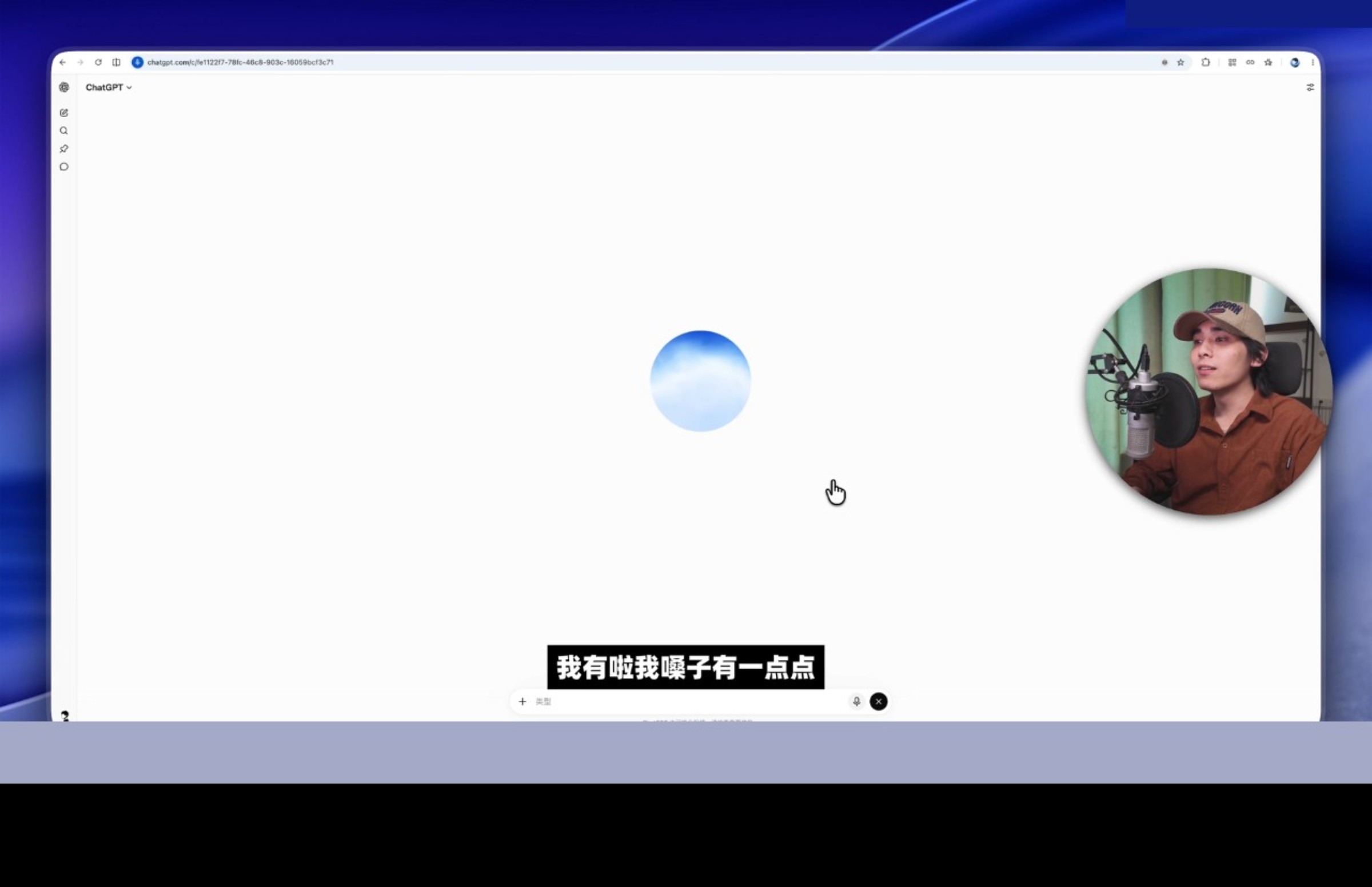
GPT-5.6 is OpenAI's latest model family, released on July 9, 2026. Unlike previous releases that had a single model, GPT-5.6 comes in three flavors: Sol (the most powerful), Terra (balanced), and Luna (the fastest and cheapest). All three are accessible through ChatGPT and the OpenAI API, so you don't need to be a developer to use them. One of the most talked-about new features is GPT-Live — the real-time conversational mode that supports interruptions and even simultaneous translation. There's a viral clip of GPT-Live handling a user's cough mid-sentence without skipping a beat, which racked up 3,588 likes and spawned the meme "咳嗽都能被接住" (even your cough gets caught). It's a small detail, but it shows how far the voice AI has come.
The easiest way to get started is through ChatGPT. If you have a free account, you already have access to GPT-5.6 Luna (with usage limits). ChatGPT Plus subscribers ($20/month) get access to all three models. Simply open ChatGPT, start a conversation, and the model selection dropdown at the top lets you choose between Sol, Terra, and Luna.
Understanding max mode is important for getting the best results on hard problems. Max mode tells GPT-5.6 to think harder and longer before responding. In ChatGPT, you can toggle max mode in the model settings or mention "think carefully" in your prompt. The tradeoff is slower responses but significantly better answers on complex reasoning, math, and coding tasks.
Ultra mode is GPT-5.6's most innovative feature. It deploys four parallel AI agents that each work on a different aspect of your question, then combine their findings into one comprehensive answer. Try it for research tasks, competitive analysis, or any question that benefits from multiple perspectives. In ChatGPT, select ultra mode from the model settings. Note that it uses more tokens, so it may count against your usage limits faster.
For developers, the API quick start is simple. Install the OpenAI SDK, set your API key as an environment variable, and make a chat completions call with the model parameter set to gpt-5.6-terra (recommended starting point). The API supports all the same features as ChatGPT, including max mode (reasoning_effort: "max") and ultra mode (reasoning_effort: "ultra").
Common use cases that work great with GPT-5.6: writing and editing documents, summarizing long articles or meetings, brainstorming ideas, coding help (especially with the Codex integration in ChatGPT), data analysis and visualization suggestions, language translation, and research synthesis. The 1.05M token context window means you can paste entire documents and ask detailed questions about them.
Here's a productivity demo that blew up in the community: ChatGPT Work (the new unified experience merging ChatGPT and Codex) analyzed a spreadsheet, generated a full report, and built a presentation — all in about 90 seconds. For beginners, this is the kind of workflow that makes you realize AI isn't just a chatbot anymore. You can upload a file, describe what you need, and let GPT-5.6 handle the heavy lifting. Try starting with a simple task like "summarize this CSV and give me the top 5 trends" and work your way up to more complex requests.
Tips for better results: be specific in your prompts ("Write a 500-word blog post about X for a technical audience" beats "Write about X"); provide context (paste relevant background information); iterate (ask follow-up questions to refine the output); and choose the right model (Luna for quick tasks, Terra for most things, Sol for complex reasoning).
What's next? Once you're comfortable with the basics, explore the advanced features like Codex for coding, ultra mode for research, and the API for building applications. OpenAI's documentation and the community forums are great resources for going deeper. The key is experimenting — try different models and modes for your specific tasks to find what works best.
What is GPT-5.6
Detailed analysis and findings for this section.
Setting Up Your Account
Detailed analysis and findings for this section.
Using ChatGPT with GPT-5.6
Detailed analysis and findings for this section.
Understanding Max Mode
Detailed analysis and findings for this section.
Trying Ultra Mode
Detailed analysis and findings for this section.
API Quick Start
Detailed analysis and findings for this section.
Common Use Cases
Detailed analysis and findings for this section.
Tips for Better Results
Detailed analysis and findings for this section.
What's Next
GPT-5.6 is accessible to everyone, from casual ChatGPT users to professional developers. Start with the free tier to explore, upgrade to Plus for full access to all three models, and experiment with max and ultra modes for complex tasks. The learning curve is gentle, and the payoff is significant.
Frequently Asked Questions
Do I need coding experience to use GPT-5.6?
No, GPT-5.6 is accessible through ChatGPT's web interface and mobile app without any coding knowledge. Just type your questions and start a conversation. The API is available for developers who want to build applications.
What are the limitations of the free version?
The free version gives you access to GPT-5.6 Luna with usage rate limits. You may experience slower responses during peak hours and have a daily message cap. For unlimited access to all three models, ChatGPT Plus at $20/month is recommended.
How do I get the best results from GPT-5.6?
Be specific in your prompts, provide context, choose the right model for your task (Sol for complex reasoning, Terra for everyday use, Luna for quick tasks), and use max mode when accuracy matters more than speed.
GPT-5.6 Team
Industry expert with years of hands-on experience.
